Keeps each miner at its best point, and shows you what it saved.
A small program for a computer that is always on in your home network. It finds the lowest core voltage each chip runs without errors at, keeps temperature and power within your limits, and compares the result with your own settings. It regulates and calibrates without a pool of your own, on any pool: the miner's own share counters judge each voltage. A dvb-WarpPool, free and on Umbrel too, adds reject reasons and a badge on your wallet page.
Your miner's default settings are a fine starting point. WarpTune lowers the core voltage where the chip allows it, and only within limits you can read on every card.
Measures each voltage step on 200 real shares (from the miner's own counters, on any pool) and the chips' own error counters, adds a 20 mV reserve and waits for your Apply. A checkbox adds the clock search: a higher clock at the same voltage.
Never above the core voltage you set by hand, never below the regulator's clean range, within 90 % of the board's and 80 % of the power supply's rating, inside your temperature band.
A new miner starts in dry run: WarpTune keeps a journal of what it would do and writes nothing. When you switch it live, a confirmation names every limit.
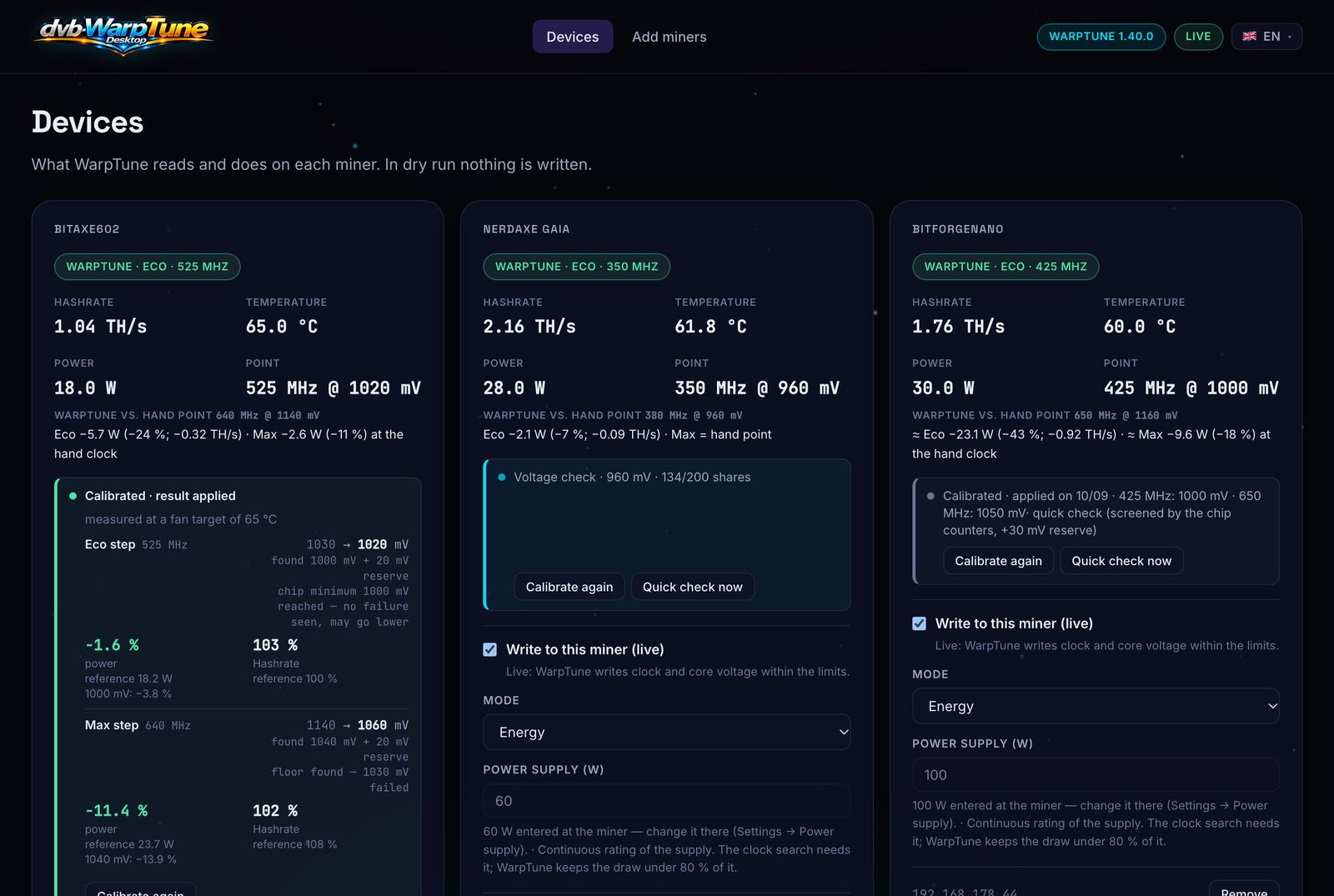
Each miner's card compares WarpTune with your hand point in watts and hashrate, and turns it into a year, for example “Eco saves 48 kWh/year ≈ €13.20”: in money once you enter your electricity price. Measured at your own miner, not promised.
Eco, Max, or Energy. With a dvb-WarpPool energy page connected, Energy runs Max while there is solar surplus and Eco on grid power.
The page is only reachable from the computer WarpTune runs on. WarpTune talks to your miners' API in your network, and to your pool if you connect one.

My own miners on 16 October 2026: the Bitaxe Gamma after a calibration, a voltage check running on the NerdAxe Gaia.
Same clock, same hashrate at the pool, less power. Results differ from chip to chip: some run close to their limit already.
52.1 W → 43.7 W
23.7 W → 21.0 W
All downloads are on the release page, with SHA256SUMS and a cosign signature. The first start on macOS and Windows needs one extra click, the picture guide shows it.
WarpTune-Desktop-…-aarch64.dmg (Apple silicon) or …-x86_64.dmg (Intel). Drag it to Applications; it asks once whether to start at login.WarpTune-Desktop-…-x86_64-setup.exe. Installs to your user folder without administrator rights and starts at sign-in.dvb-warptune_…_<arch>.deb or the AppImage. Setup guide →Miners: Bitaxe, NerdAxe, NerdQAxe++, NerdOctaxe and BitForge Nano with AxeOS, NerdOS or WarpAxe firmware. The setup assistant finds them in your network.
SHA256SUMS before you open them. One WarpTune per miner: if a miner is already tuned elsewhere, leave it in dry run.